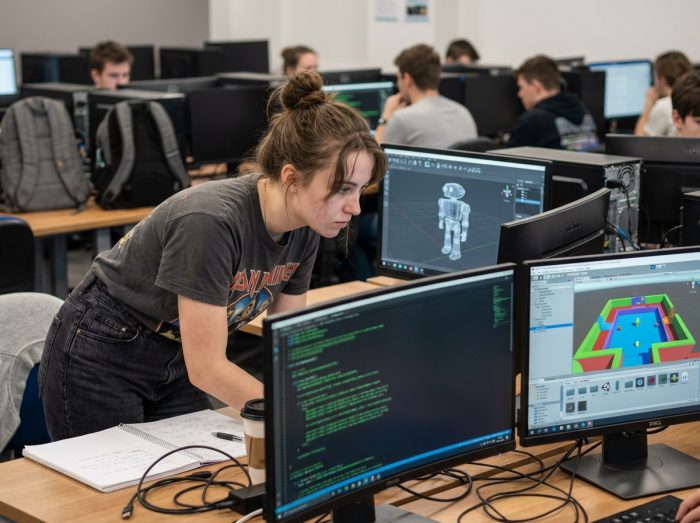
A game engine is never neutral: it shapes both learning and the final product. In schools, the technique imposes itself, sometimes without embellishment or detour. Unity or Unreal? Not always. Some programs enforce their own engine, sometimes capricious, sometimes lacking proper documentation. Access to professional tools varies depending on the institution and its alliances with publishers. Students quickly discover that the choice is not always in their hands: logistical constraints, licensing rights, internal pedagogy… Arbitrary decisions often creep into the video game laboratory.
Understanding the central role of game engines in video game creation
Behind the names that dazzle, the real life of video game schools is primarily a patchwork of technologies, approaches, and opportunities. The game engine stands as the foundation around which everything is organized. Unity and Unreal Engine dominate the scene, but some programs shake up the routine by introducing Godot or even RPG Maker during specialized workshops, to initiate students into different development logics. With each new project, students must appropriate an environment, tame it, adapt pedagogical codes, and navigate the strengths and limitations imposed by each engine.
This initial choice, far from being trivial, guides every step of the design process. While Unreal Engine 5 shapes games in C++ and pushes for optimization, Unity captivates with its quick onboarding in C# and its openness to multiple extensions. Free options like Godot or Bevy play the flexibility card but sometimes remain on the fringes in very traditional institutions. Changing engines means changing ways of thinking: Entity Component System architecture or classic approach, each new terrain alters how ideas are structured and how technical constraints are faced.
| Engine | Main Languages | Specificities |
|---|---|---|
| Unreal Engine | C++ | AAA performance, photorealistic rendering |
| Unity | C#, C++ (plugins) | Accessibility, rapid prototyping, cross-platform |
| Godot | GDScript, C#, C++ | Open source, flexibility, low footprint |
Modern game engines often rely on the Entity Component System (ECS) paradigm. In this organization, an entity groups specialized components, while systems manage their behaviors in series: an approach that promotes logical segmentation, optimization, and scalability. To grasp its extent, one need only look closely at the tools taught in a video game school: varied engines, multiple languages, architectures that are constantly renewing. Training in these tools means learning technical agility on very concrete projects.
What languages and software do students really use?
In daily practice, the landscape of languages and tools proves to be as fluid as it is demanding. C++ serves as the backbone for established engines like Unreal or Godot: performance above all, full mastery of gameplay and real-time physics. It is impossible to overlook C#, the king language of Unity, which is used to quickly write prototypes, assemble systems, or sketch out game AI, without sacrificing robustness.
Alternatives emerge in various modules. Java, found behind some secondary engines or popular tools like Minecraft, is welcomed for its portability and relative simplicity. Rust is gradually making its mark with recent engines like Bevy, praised for its safe memory management and reliability of applications. As for Python, it finds its place wherever flexibility is key: tool scripts, analysis, AI prototyping. LUA, which many young coders discover in mod creation or via RPG Maker, shines for its lightweight nature and ability to automate specific tasks.
To clarify, it is useful to compile a list of the most common languages encountered in training:
- C++: favored for its performance and its presence at the core of reference engines
- C#: ideal for scripting and prototyping in Unity
- Java: used in alternative engines and famous tools
- Rust: valued for safety and innovation in new engines
- Python: essential for data analysis and tool flexibility
- LUA: indispensable for mod scripting or automation
But mastering code is not enough. Throughout projects, students also handle version managers, script editors, integrated development environments, and a whole array of tools. This toolkit evolves with needs and shapes versatile students, capable of grasping the logic of a new tool in a few hours and collaborating within often multidisciplinary teams.

Choosing the most suitable game engine for your project: criteria and practical advice
Choosing your game engine is more than a technical detail: the decision guides the entire creative adventure, from the first prototype to the playable version. Between Unreal Engine, Unity, Godot, or outsiders like MonoGame and Bevy, each team must agree on the concrete needs of the project: graphics, power, modularity, language compatibility.
Unreal Engine, demanding and designed for C++, remains the reference for aiming high in 3D graphics and visually spectacular worlds. Unity, through C#, supports a multitude of projects thanks to its cross-platform versatility, speed for prototypes, and its thriving ecosystem around virtual reality. Among open-source enthusiasts, Godot showcases its lightweight nature, diverse scripting options, and ease of use.
The context of the project sharpens the choice. Creating a mobile game or a 2D title invites prioritizing the simplicity of Godot or the robustness of MonoGame. Artistic ambitions leaning towards photorealistic 3D push towards Unreal. The ECS architecture, adopted by some engines, offers welcome flexibility when the project aims for multiplayer or increased complexity.
To avoid getting lost, several criteria should be defined before launching a project:
- Language compatibility: check if the engine supports C++, C#, Java, Rust, Ruby based on skills and needs
- Ecology: ensure the richness of documentation, community size, and resource availability
- Scalability: anticipate that the engine supports the evolution of the game, from prototype to finalized product
- License: monitor costs, commercial uses, and access to source code
Behind every architecture, every line of code, these choices shape the structure of the game, the dynamics of the team, and the ability to adapt quickly. In practice, the game engine proves to be much more than just software: it reveals the desires, limits, and raw creativity of those who engage with it. Few tools forge and reveal as many atypical profiles; this is why each cohort is already shaping the face of the video game of tomorrow.